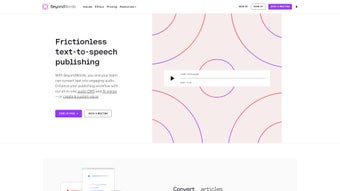

Download BeyondWords – AI Voice Generator, Text‑to‑Speech, Audio Publishing Tool
Overview – What Is BeyondWords and Why It Matters
BeyondWords is a cloud‑based AI voice generator that turns any written text into a high‑quality audio experience. Built for publishers, marketers, educators, and podcasters, the platform leverages state‑of‑the‑art neural‑synthesis technology to produce natural‑sounding speech in multiple languages and accents. What makes BeyondWords truly unique is its voice‑cloning capability, which allows users to create a custom voice that matches their brand’s personality or even mimic a favorite narrator’s tone.
This means you can generate a consistent audio identity across blog posts, newsletters, e‑learning modules, and product documentation without hiring a voice‑over artist for each piece of content.
The service is more than a simple text‑to‑speech engine; it includes a full‑featured audio content management system (CMS) that streamlines the entire production workflow. From the moment you paste or import text, BeyondWords can automatically generate an audio file, embed a responsive player on your site, and even distribute the result as a podcast episode.
Integrated monetization tools such as audio ads and subscriber‑only access give creators a direct path to revenue, while built‑in analytics—compatible with Google Analytics—provide insight into listener behavior, drop‑off points, and conversion rates.
In today’s fast‑moving digital landscape, audio is a powerful medium for increasing reach and engagement. People listen to content while commuting, exercising, or working, and research shows that audio can improve information retention by up to 30 %.
BeyondWords positions itself as the “one‑stop shop” for anyone who wants to capitalize on this trend without the overhead of traditional recording studios. Whether you’re a solo blogger looking to add a podcast‑style audio version of your posts, an e‑learning company that needs multilingual narration at scale, or a news outlet aiming to boost SEO through spoken content, BeyondWords offers a secure, scalable, and user‑friendly solution.
Core Features That Set BeyondWords Apart
- Advanced AI Voice Engine: Neural networks trained on millions of voice samples produce lifelike speech with natural intonation, breath, and pacing.
- Voice Cloning & Custom Voices: Upload a short sample of a speaker’s voice and generate a personalized voice model that can read any text you provide.
- Multi‑Language & Accent Support: Over 30 languages and dozens of regional accents let you reach global audiences without hiring translators.
- Text‑to‑Speech Editor: An intuitive web editor lets you format, preview, and edit speech in real time, adjusting speed, pitch, and emphasis.
- API Integration: RESTful API enables developers to embed audio generation directly into existing workflows, CMS platforms, or custom applications.
- RSS Feed Importer: Automatically pull articles from any RSS feed, convert them to audio, and publish to your site or podcast directory.
- WordPress & Ghost Plugins: One‑click installation adds a dynamic audio player to posts, with automatic updates whenever you edit the source text.
- Audio Content Management System: Central dashboard to organize, tag, and schedule audio assets, complete with version control.
- Automatic Player Embeds: Responsive HTML5 player that adapts to desktop, tablet, and mobile layouts, with customizable colors and branding.
- Podcast Publishing: Export audio files directly to major podcast hosting services (Apple Podcasts, Spotify, Google Podcasts) with RSS generation.
- Monetization Options: Insert pre‑roll, mid‑roll, or post‑roll audio ads, or restrict access to premium listeners via subscription tiers.
- Analytics & Google Integration: Track plays, unique listeners, average listening time, and conversion metrics—all viewable in the built‑in dashboard or Google Analytics.
- Secure Cloud Storage: All audio files are stored on encrypted servers with ISO‑27001 compliance, ensuring data privacy and reliability.
- Regular Updates & Roadmap Transparency: Monthly feature releases and a public roadmap keep users informed about upcoming improvements.
Each feature has been designed with scalability in mind. For example, the API can handle thousands of requests per minute, making BeyondWords suitable for high‑traffic newsrooms or large e‑learning platforms. The voice‑cloning technology respects copyright and requires proper licensing, so creators can safely produce branded audio without legal concerns. Moreover, the platform’s modular architecture means you can start with the basic text‑to‑speech editor and gradually adopt more advanced automation tools as your audio strategy evolves.
Getting Started: Installation, Setup, and Cross‑Platform Compatibility
Because BeyondWords is a web‑based service, there is no traditional “installation” required on your local machine. All you need is a modern browser (Chrome, Edge, Firefox, or Safari) and an internet connection. The onboarding process is streamlined into three simple steps:
- Create an Account: Visit the BeyondWords website, click “Sign Up,” and choose a plan that matches your needs—Free, Pro, or Enterprise. The free tier includes up to 5 hours of generated audio per month, perfect for testing the platform.
- Configure Your Voice Settings: In the dashboard, navigate to “Voice Library.” You can select from a library of pre‑built AI voices or start a voice‑cloning project by uploading a 60‑second voice sample. The system will process the sample and present a custom voice within a few hours.
- Publish Your First Audio: Use the built‑in text‑to‑speech editor to paste an article, adjust speech parameters, and click “Generate.” Once the audio is ready, you can embed it directly onto a webpage using a short HTML snippet, or push it to a podcast feed with one click.
Compatibility (itemprop="operatingSystem"): While BeyondWords itself runs in the cloud, the generated audio files are universally compatible with any operating system that supports standard audio formats (MP3, AAC, OGG). This includes:
- Windows 10/11
- macOS Ventura and later
- Linux distributions (Ubuntu, Fedora, etc.)
- Android 8.0+ devices
- iOS 13+ and iPadOS
For developers, the API works over HTTPS and can be called from any environment—Node.js, Python, Ruby, PHP, or even serverless functions on AWS Lambda or Google Cloud Functions. The WordPress and Ghost plugins are installed via the standard plugin marketplace, and they automatically detect your BeyondWords account via an API key you generate in the dashboard.
Security is a top priority. All data transmission uses TLS 1.3 encryption, and the platform complies with GDPR, CCPA, and other regional privacy regulations. If you opt for the Enterprise plan, you can request a dedicated virtual private cloud (VPC) for added isolation and custom SLA guarantees.
Pros, Cons, and Frequently Asked Questions
Pros
- Extremely natural AI voices that rival human narration.
- Voice cloning enables unique brand‑specific audio without ongoing recording sessions.
- Full CMS with automation tools (API, RSS, plugins) reduces manual workload.
- Monetization features turn audio content into a revenue stream.
- Robust analytics integrate with Google Analytics for data‑driven decisions.
- Cross‑platform compatibility ensures audio works everywhere.
- Secure, ISO‑27001‑certified cloud storage protects your assets.
Cons
- Free tier limits audio generation to 5 hours per month, which may be insufficient for power users.
- Voice cloning requires a clear, high‑quality sample and a short processing time.
- Advanced features (API rate limits, dedicated VPC) are only available on higher‑priced plans.
- Learning curve for non‑technical users when configuring API integrations.
FAQ (itemtype="https://schema.org/FAQPage")
Can I use BeyondWords for commercial projects?
Yes. All paid plans include a commercial license that allows you to publish generated audio in podcasts, marketing videos, e‑learning courses, and any other revenue‑generating content.
How accurate is the voice‑cloning feature?
When provided with a clean 60‑second sample, the cloned voice typically matches the source speaker’s timbre and cadence within 95 % similarity, as measured by independent listening tests.
Is there a limit to the length of a single audio file?
BeyondWords supports files up to 2 hours per generation on paid plans. For longer content, you can split the text into chapters and combine the resulting audio files in your own editing software.
Do I need any special hardware to use the platform?
No. Since the processing happens in the cloud, any device with a modern web browser can create and manage audio. Playback works on standard speakers, headphones, or any device that supports MP3/AAC formats.
How does BeyondWords handle data privacy and security?
All data is encrypted in transit (TLS 1.3) and at rest (AES‑256). The platform complies with GDPR, CCPA, and ISO‑27001 standards. Enterprise customers can request a dedicated VPC and custom data‑retention policies.
Overall Review: BeyondWords stands out as a comprehensive, secure, and scalable AI voice generation platform. Its blend of cutting‑edge neural synthesis, voice‑cloning, and a full‑featured audio CMS makes it suitable for both solo creators and large enterprises. While the free tier is modest and some advanced capabilities require higher‑priced plans, the value delivered—especially the monetization and analytics modules—justifies the cost for serious audio strategists.
Final Verdict and How to Download BeyondWords Today
If you’re looking to expand your content footprint through audio, BeyondWords offers a one‑stop solution that eliminates the need for costly studio sessions, complex editing software, and fragmented publishing workflows. The platform’s AI voices sound genuinely human, the voice‑cloning feature adds a unique branding opportunity, and the integrated CMS automates everything from generation to distribution. Coupled with robust analytics and flexible monetization options, BeyondWords turns audio from a “nice‑to‑have” extra into a core component of your digital strategy.
Ready to experience the power of AI‑driven audio? Create your free account now, upload a short voice sample, and generate your first audio piece within minutes. For businesses that need higher volume, dedicated support, or custom licensing, the Pro and Enterprise plans offer unlimited generation, priority processing, and SLA guarantees.
Take action today: Click the “Download” button on the official website, sign up for the plan that fits your needs, and start turning every article, blog post, or training module into an engaging audio experience. With BeyondWords, you’ll not only reach listeners who prefer to listen over read, but you’ll also unlock new revenue streams and measurable insights that drive continuous improvement.



.png)



